Start with the commercial question
In a manufacturing context, 3D product rendering is not simply a file conversion. It is the preparation of commercial still images from a product source that can be reviewed, interpreted, and presented consistently. Tarelva's current 3D product rendering service is focused on reviewed commercial still imagery from supported 3D product sources, with an agreed visual scope before production begins. See the current 3D product rendering offer for that boundary.
This can be useful for manufacturers, product teams, distributors, and sales teams that need a defined set of product views without making every channel depend on a new physical shoot. It is especially useful when the source model is available, the product identity is clear, and the team can review the intended presentation.
What to prepare about the product and source
Begin with enough context to identify the product correctly. A product name, public product page, brief description, and any relevant variant or revision note are more valuable than an unexplained folder of files. The first question is not whether a file exists; it is whether the source represents the product you want presented.
- Product identity: what the item is, which variant is in scope, and what must remain visible.
- Source authority: which model, revision, or reference should be treated as current for this study.
- Known exclusions: parts, accessories, packaging, or options that should not appear in the requested views.
- Reference material: public product pages, approved drawings, finish references, or existing product photography.
If the brief instead needs an inspectable multi-angle presentation or a concise moving product explanation, review the separate current 360° product presentation service and Product Video service before treating the requirement as a still-image package.
Bring visual references, not just technical files
A model may contain geometry without fully answering how the finished product should look. Prepare references for material, finish, color, gloss, transparency, labels, and any presentation conventions that matter. The goal is not to create a perfect specification package before asking a question. It is to make the review criteria clear.
If the finish is still being decided, say so. If a label or artwork reference is authoritative, identify it. If the product is shown open, assembled, or in a particular orientation, describe why. Clear uncertainty is easier to review than a silent assumption.
Define the image package and its destinations
Decide where the imagery needs to work before settling on views. Website product pages, catalogs, specification material, sales presentations, and distributor material may need different crops or supporting angles. You do not need a complete media plan, but you should be able to say which views are essential.
- The primary hero or three-quarter view.
- Front, side, rear, or other orientation views that help explain the product.
- Any transparent product output needed for a layout where the product should sit independently of a studio background.
- The intended destinations: website, catalog, sales presentation, or distributor material.
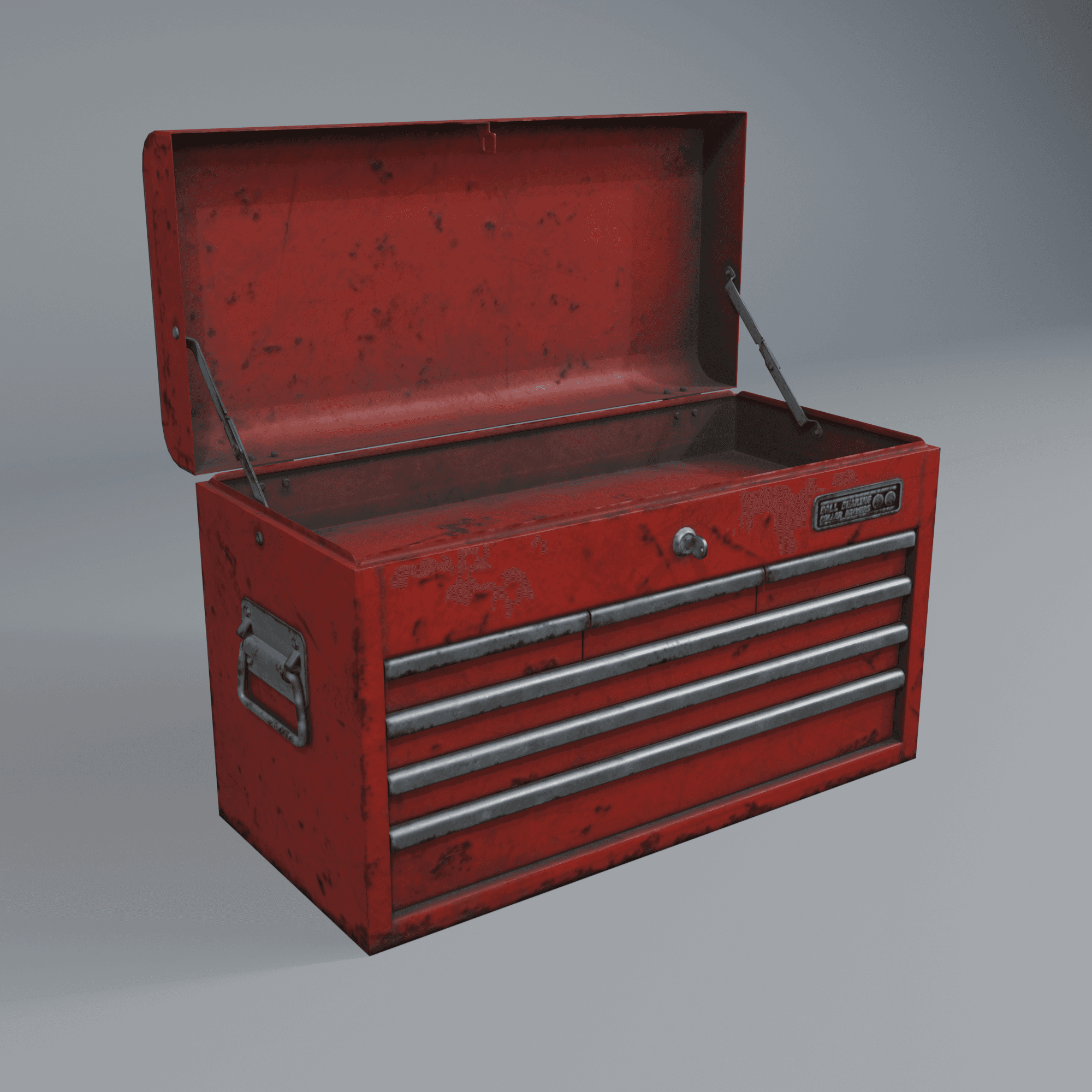
The Metal Tool Chest independent product study demonstrates this kind of defined package: a reviewed hero, front, side, rear, and transparent product output rather than an open-ended promise of every possible rendering format. For a deeper planning pass, read how to build a consistent product image set around the destinations that matter.
Agree who reviews what
Commercial image review works best when responsibilities are explicit. The product or engineering team should confirm product identity, source revision, geometry completeness, and authoritative materials or labels. The commercial or marketing team should confirm whether the selected views support the intended channel and presentation. Tarelva can organize the visual scope and outputs, but it should not be expected to infer an unconfirmed product truth.
What not to send before fit is confirmed
- Do not send a large unstructured asset archive when a public product link or short brief can establish the initial question.
- Do not assume that an unfamiliar CAD or interchange format is supported without review.
- Do not include confidential or unrelated material that is not needed to assess the product-content fit.
- Do not treat a technical import result as approval of the product's marketing appearance.
The practical next step
You do not need to prepare a perfect transfer package to start. A short brief or one public product link is enough for an initial fit review. If the source and visual scope are a fit, the next step is a reviewed commercial still-image package with clearly defined outputs. Discuss your project when you are ready.